
Garden Tours
App Design for Local London Park
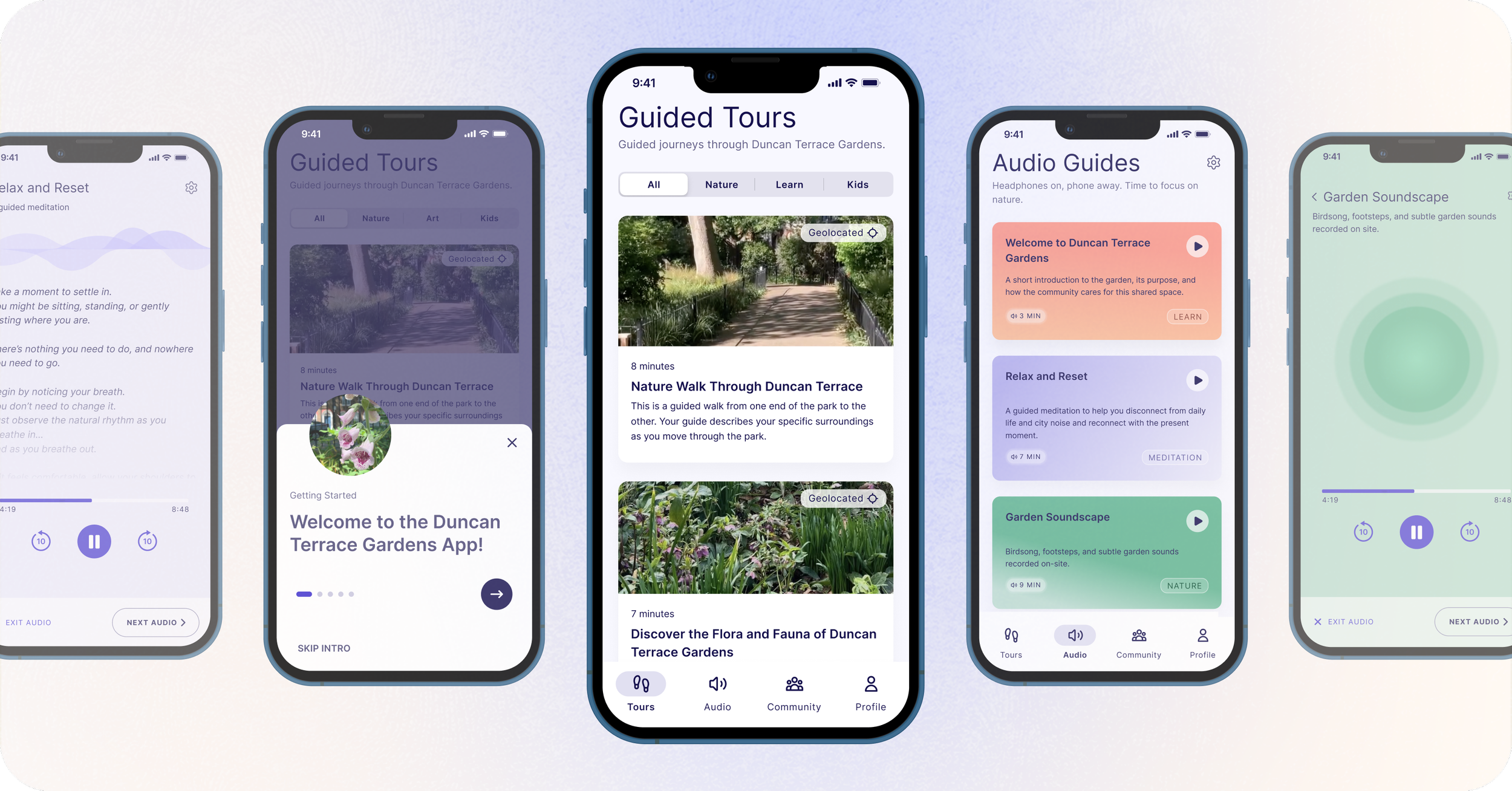
Interactive digital concept to enhance how visitors engage with Duncan Terrace Gardens, a local London park.
This project explored how interactive digital technologies could meaningfully improve the experience of visitors to Duncan Terrace Gardens. Through naturalistic observations, semi-structured interviews, and synthesis methods such as affinity mapping and personas, I identified key visitor needs. This informed a set of design goals and ultimately a concept direction that focused on relaxation, nature engagement, and community connection.
A low screen approach to digital park engagement
By scanning a QR code at the park entrances, visitors can access guided audio tours, relaxation soundscapes, and community information, allowing them to engage with the park while keeping screen use low and attention focused on their nature surroundings.
Key Design Decisions
- Primarily listening interaction to minimize screen use while moving through the park
- Transcripts for every audio experience to support accessibility and no-headphone use
- Recognition over recall through consistent labels, hierarchy, and repeated tour titles
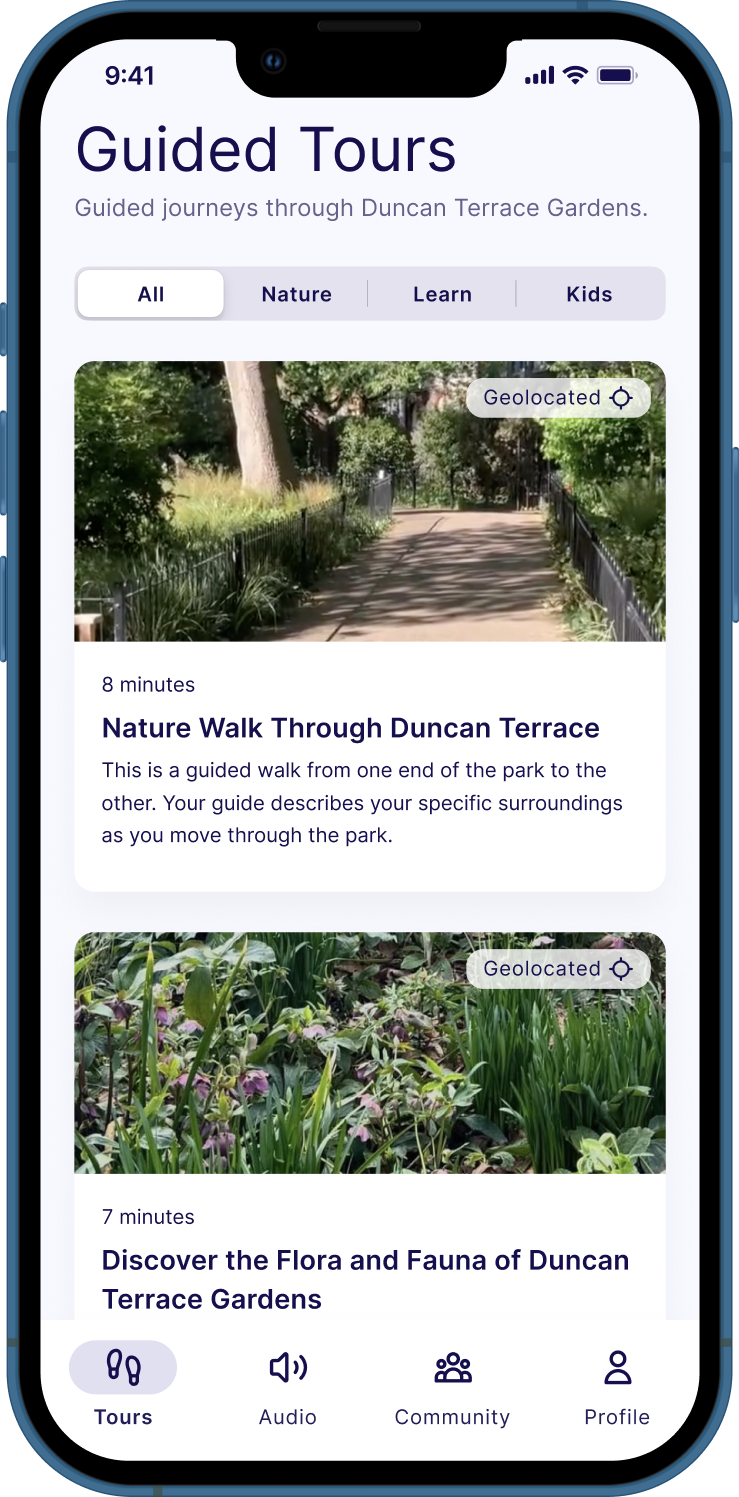
Guided Tours
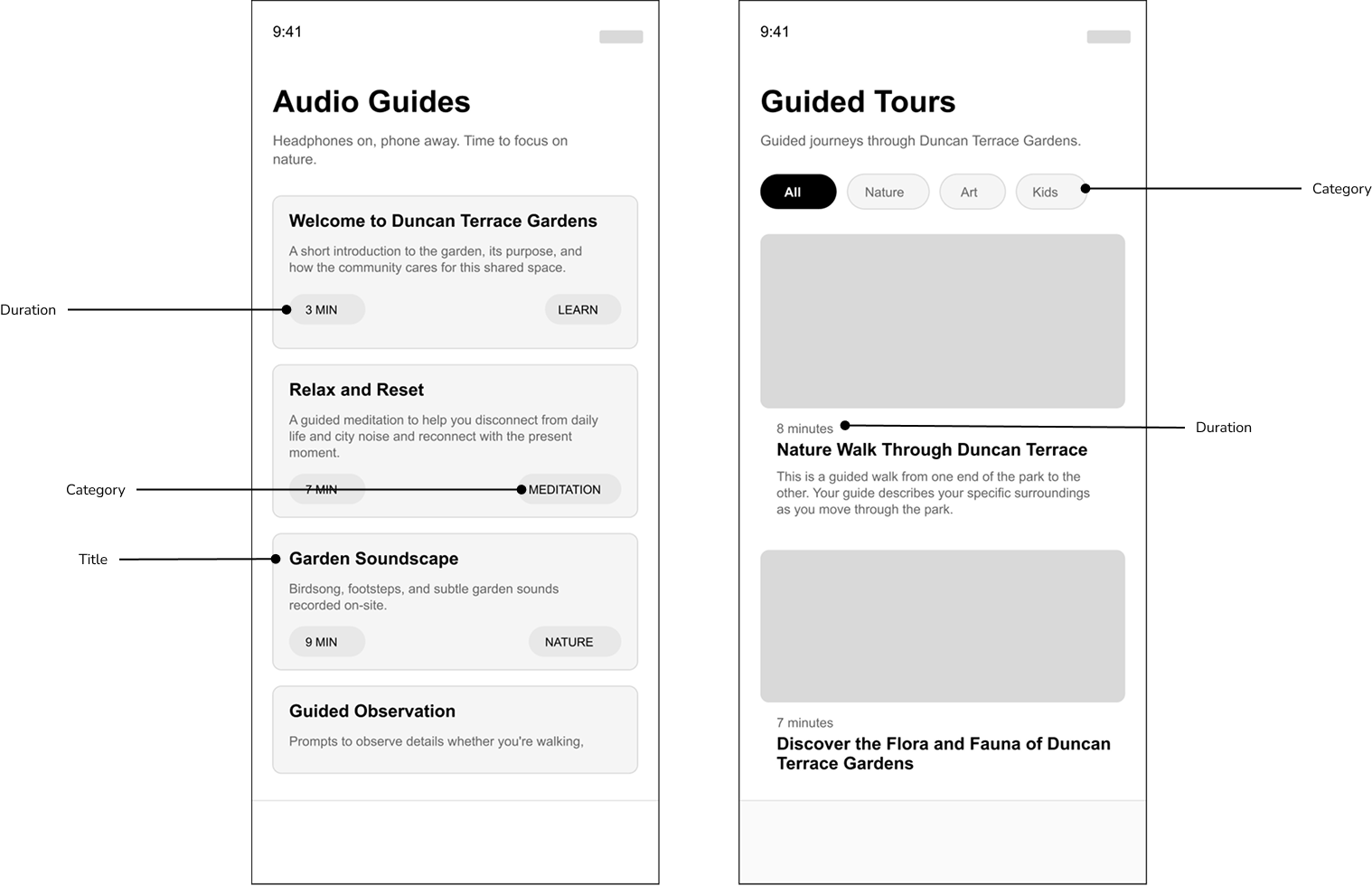
- Clear categories (Nature / Learn / Kids)
- Duration labels support quick decision-making
- Learn tours highlight art and park history
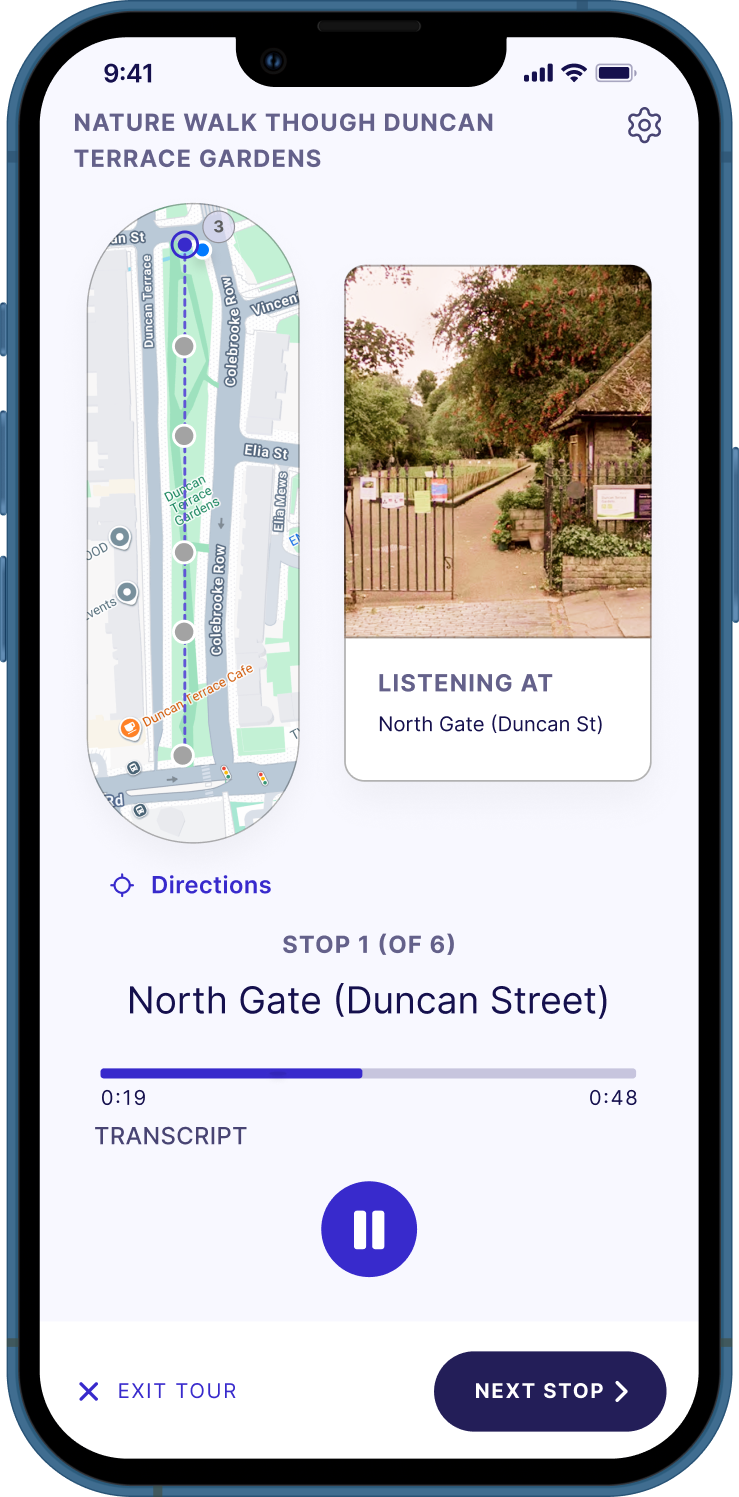
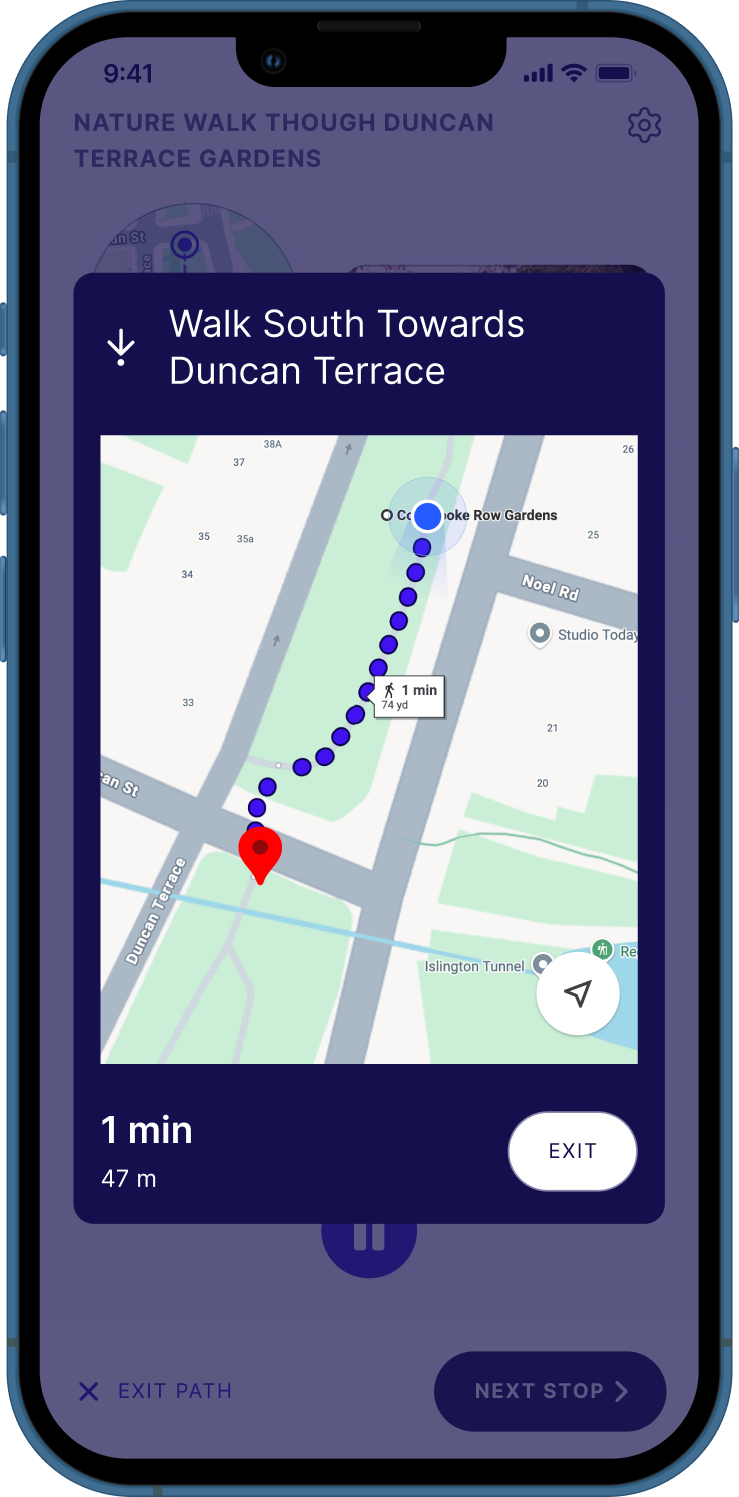
Geo-located Stops
- Live location directions help users locate tour stops
- Stops describe what’s around you as you move
- Recognizable map icons
- Transcripts support accessibility and no headphone use
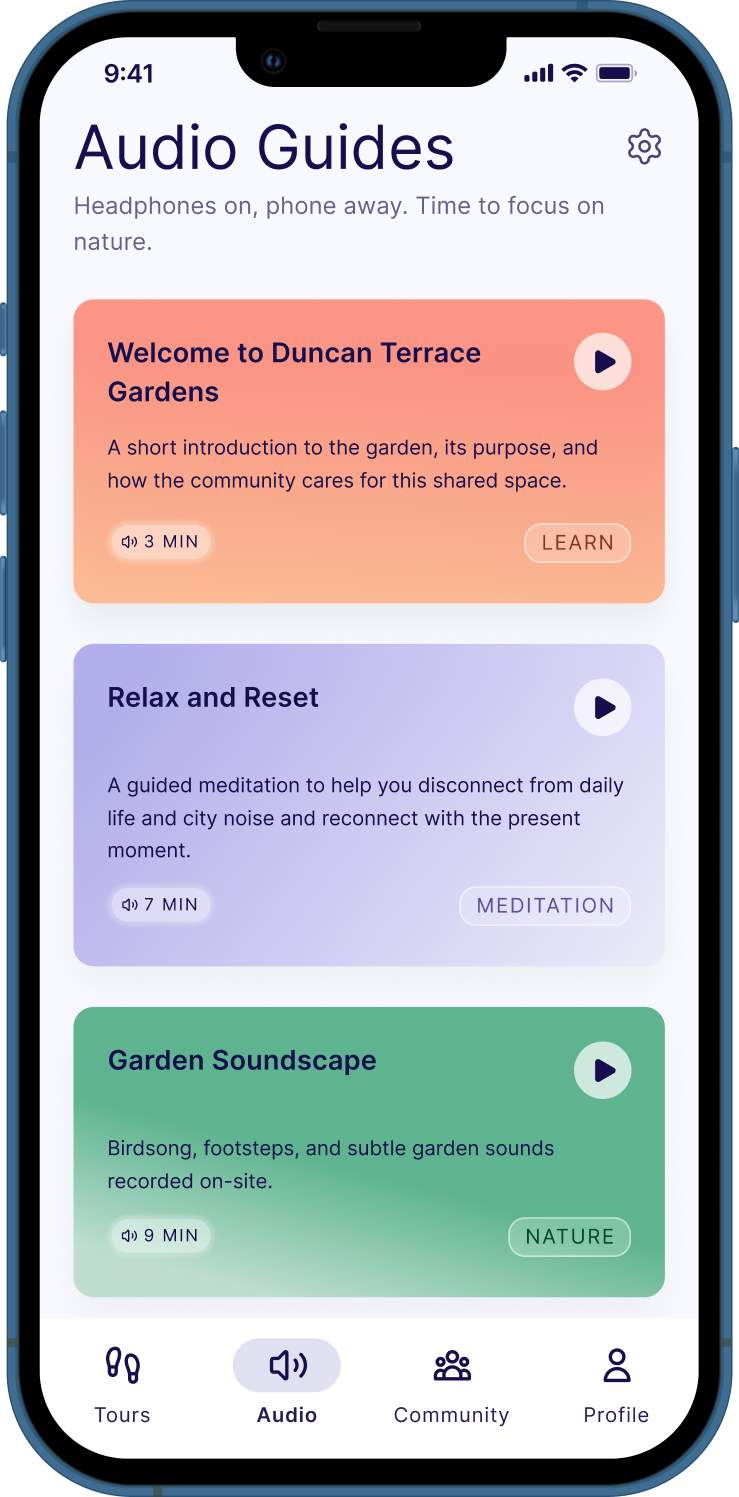
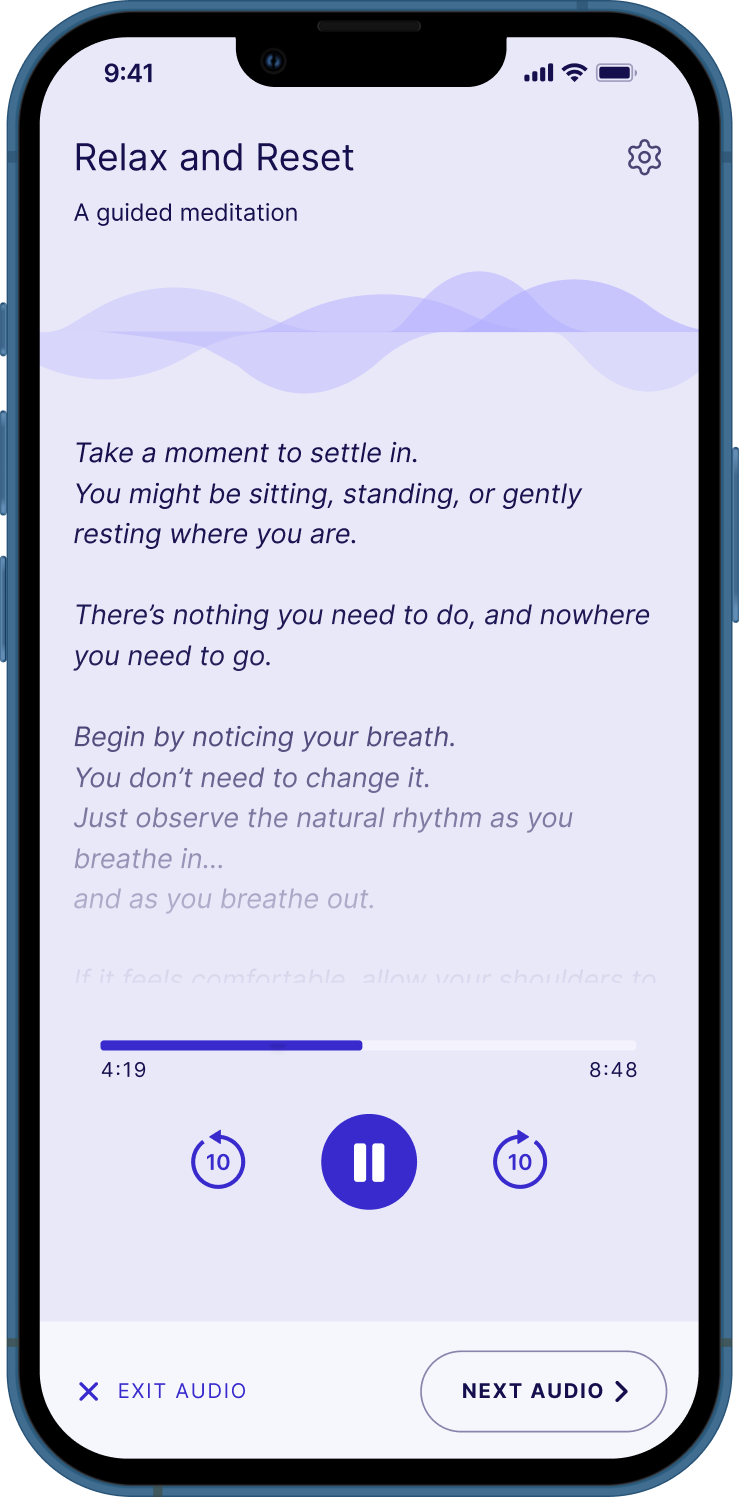
Audio Guides
- Learning + relaxation modes
- Listening interaction reduces screen reliance while moving through the park
- Soundscapes help mask city noise and support calm, restorative breaks
- Transcripts enable accessibility and no headphone use
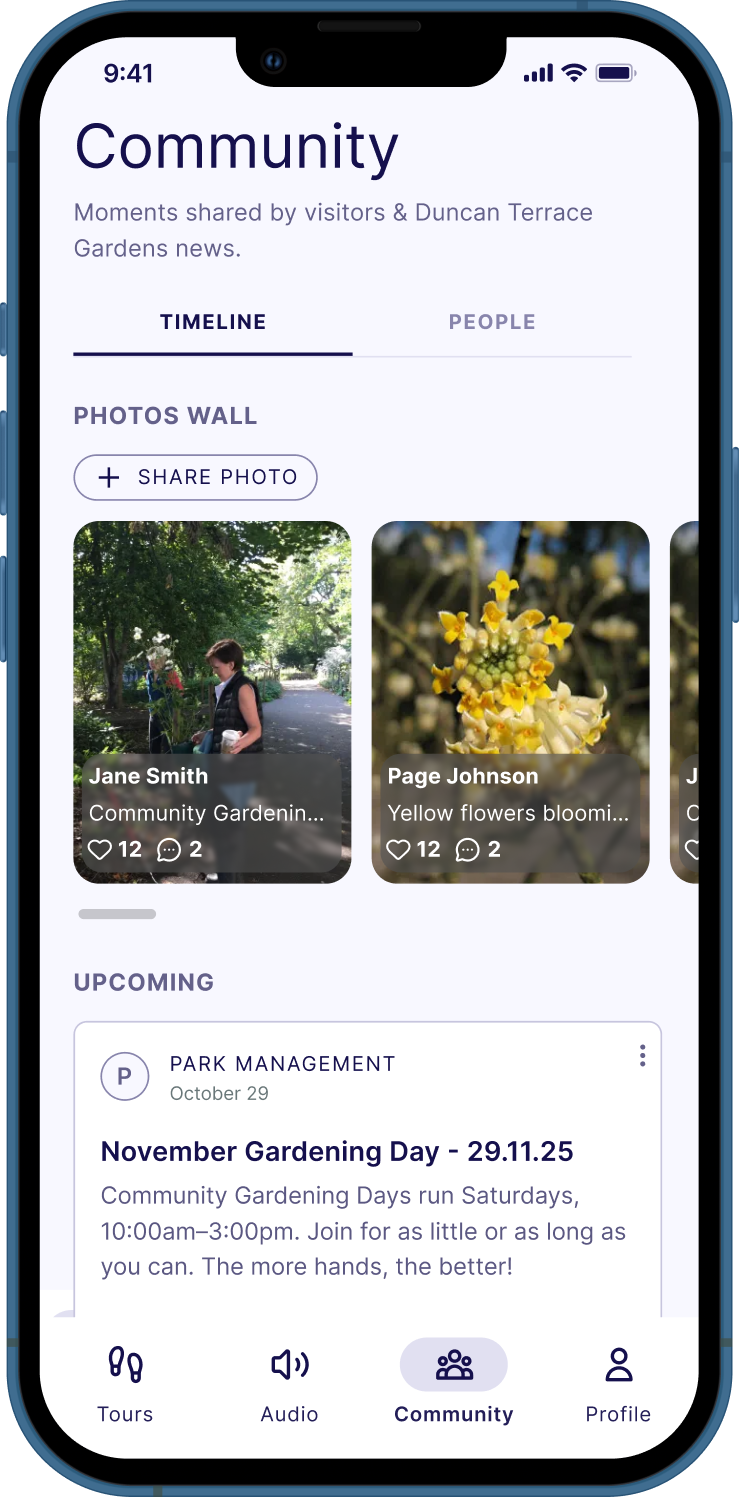
Community Feed
- Park news, community updates, and photo sharing
- Gives park staff a channel to post announcements and events
- Encourages lightweight connection between regular visitors
Interactive prototype in Google AI Studio
After finalizing the concept screens, I created a prototype using Google AI Studio.
View prototype ↗Opportunity Space
How can we develop interactive digital technology that will enhance visitors' enjoyment of the park and support Duncan Terrace Garden's mission to increase biodiversity and community connection?
This solution was shaped by on site observation, direct conversations with park visitors, and iterative design decisions grounded in user research. This was the path I took:
- Naturalistic observation
-
Semi-structured interviews
with park visitors - Synthesizing UXR insights
- Ideation
- Conceptual design
- Detailed design
- Reflection
User Research
Our team took a three pronged approach to user research:
Social media & website review
It was important to get a baseline understanding of the park and its mission.
Naturalistic observation
We visited the park across different times of day and days of the week, observing how visitors moved through the space.
Conversations with visitors
We conducted 8 semi structured interviews to ensure we were designing with genuine users in mind.
Research → Design Goals
We analyzed the data through affinity diagramming and empathy mapping. Then summarized the results into key insights. Using those insights, we created corresponding design goals.
| Research insight | Design goal | |
|---|---|---|
| Visitors come to the park to relax and reset. | Support relaxation by creating a calm, restorative park experience. | |
| Visitors want to enjoy the park's nature and limit screen time. | Keep interaction low-screen and primarily listening-based. | |
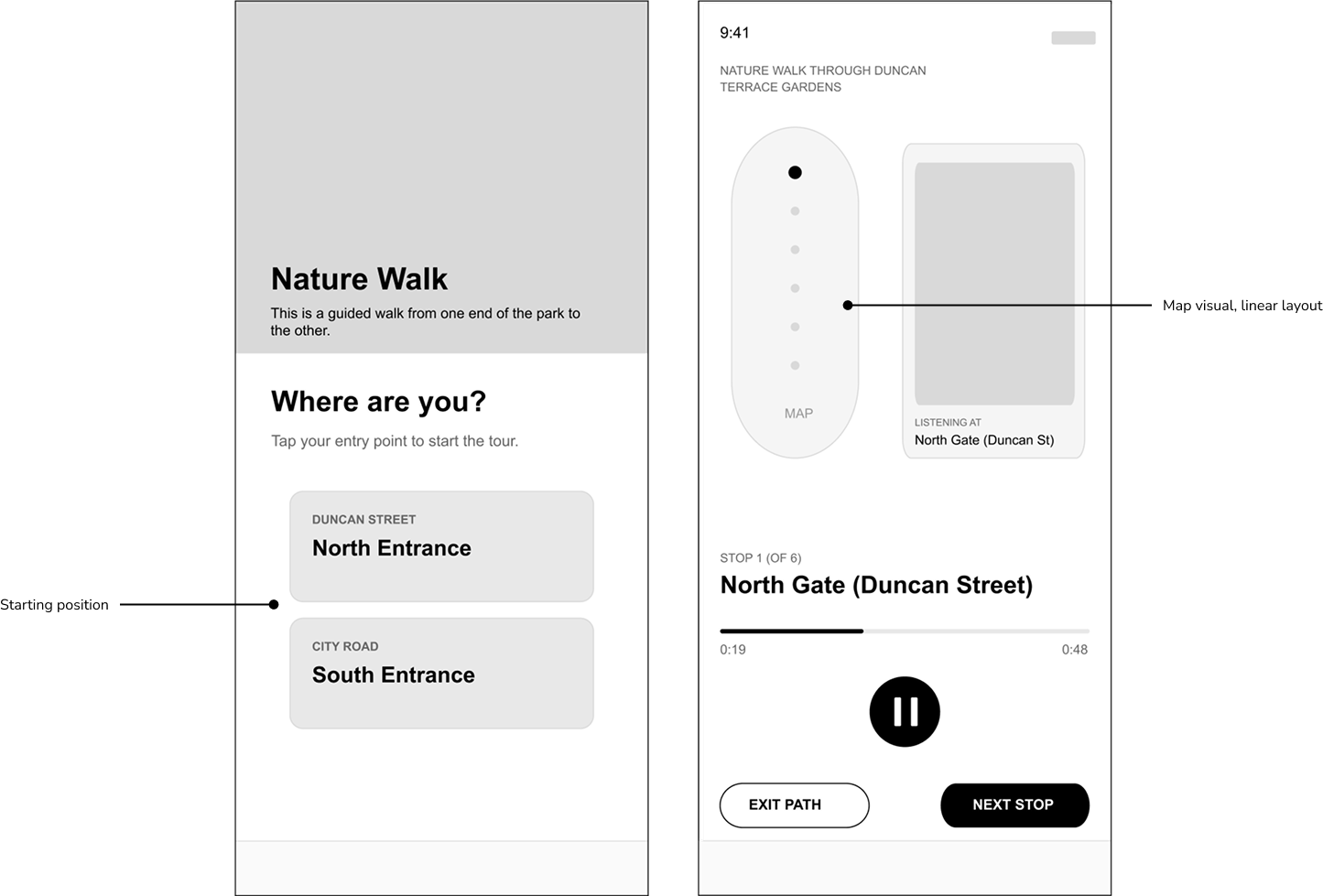
| The park's linear layout has a strong influence on how visitors move through the space. | Design interactions that respond to the park's linear layout and natural flow of movement. | |
| Visitors have limited time, often just a short lunch break. | Make content scannable with a clear visual hierarchy, and keep it short and flexible to fit brief visits. | |
| People are curious about the park's art installations, but find them too small and difficult to read. | Provide guided, location-based stops that surface contextual content tied to the art installations. | |
| Visitors value connecting with park regulars and staying up to date on community happenings. | Offer a simple community feed for announcements, events, and posts. |
We also translated the key insights into a representative persona, Brian:
Brian
Brian visits Duncan Terrace Gardens during his lunch break to reset, explore nature, and occasionally connect with what's happening locally. He likes to immerse himself in nature and limit his screen time at the park.
Goals
- Relax and decompress during a short break.
- Learn about wildlife, plants, and art installations.
- Stay connected to community happenings.
Pain Points
- Too much screen time breaks the "reset" feeling.
- City noises like traffic and construction around the park.
- Doesn't like digital tools with complex setup.
Behaviors
- Chooses quick, guided experiences when time is tight.
- Responds well to simple cues (audio, short labels, clear icons).
- Prefers passive interaction like listening over browsing while at the park.
Concept Design
To move from design goals to ideas, I created How Might We statements. My team and I used those and our persona Brian to run several rounds of Crazy 8s. Ultimately, the concept I moved forwarward with was a self guided, location aware park experience with three main features:
Detailed Design
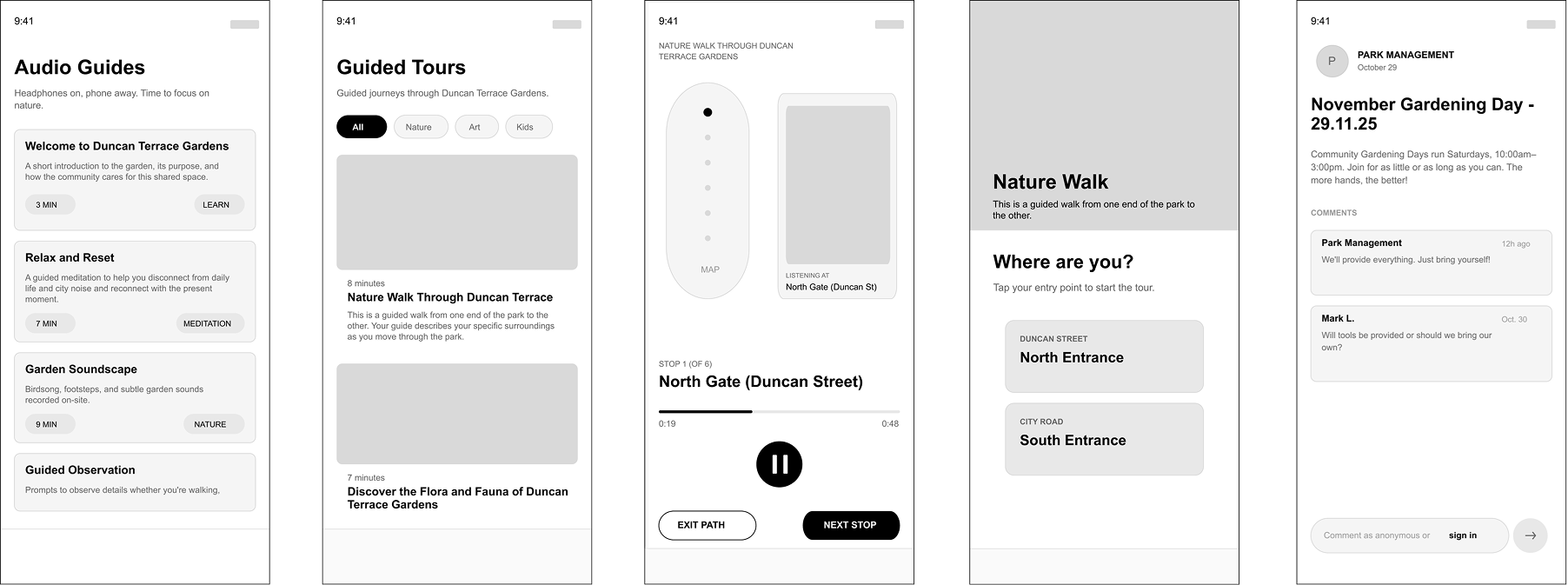
I defined the core interaction flow (entry → choose experience → geo-located tour or audio guide → optional community actions), then translated it into detailed screens and components.
I took the user flow and turned the key user action points into low-fi screens, defining the UI of the core design elements.
Scannability
Making tour and audio guide topics and durations immediately visible supports visitors with limited time allowing them to quickly find the right experience.
Responding to the Park Layout
Naturalistic observations showed that most visitors enter Duncan Terrace Gardens from either the north or south entrance. To reflect this, I designed the tour to begin at either one of those two points.
Final Designs
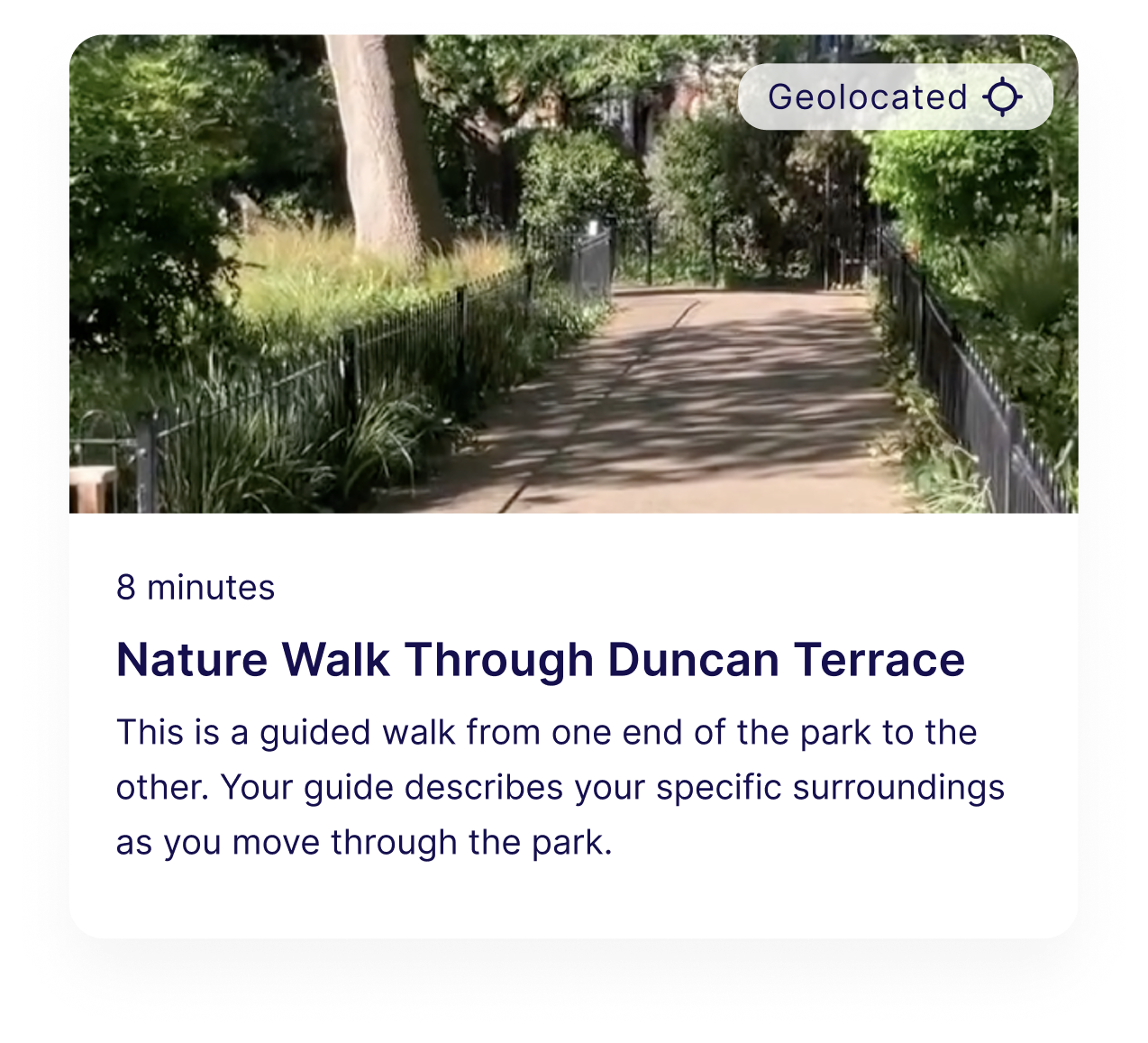
Guided Tour Card
- Duration + short description to support quick decisions
- Image for recognizability
- Audio at each stop
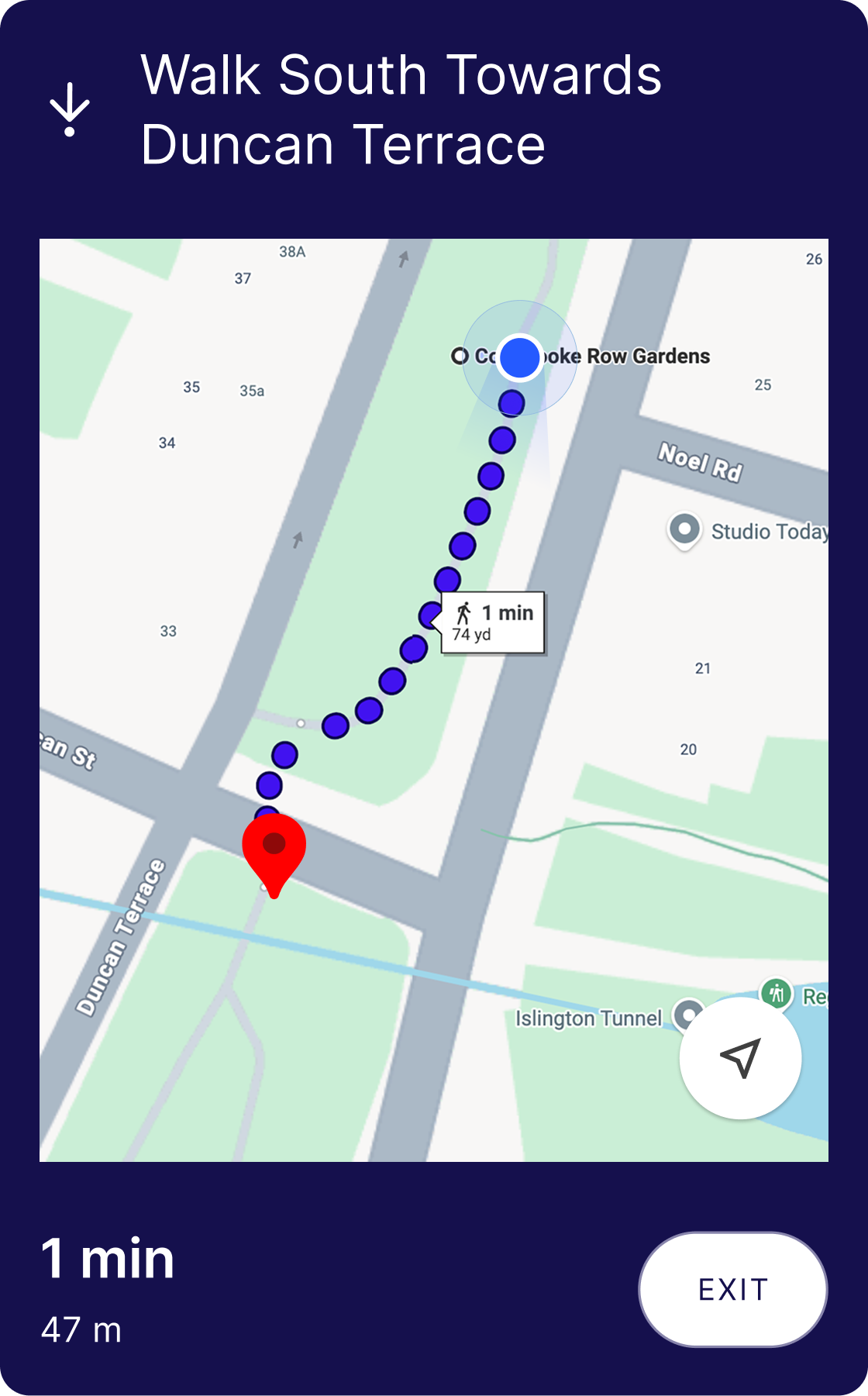
Location Aware
- Supports orientation within the park
- Uses user's live location
- Familiar map conventions
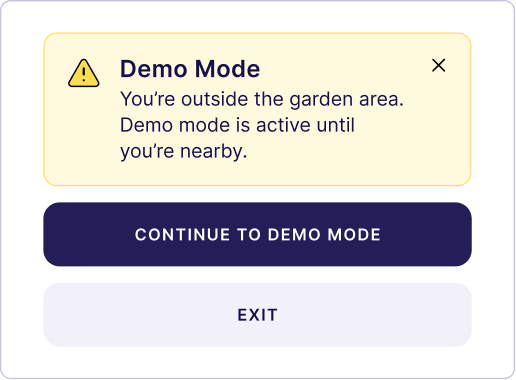
Demo Mode
- Fallback mode for geo-located tours
- Prevents failure outside of the park
- Audio at each stop
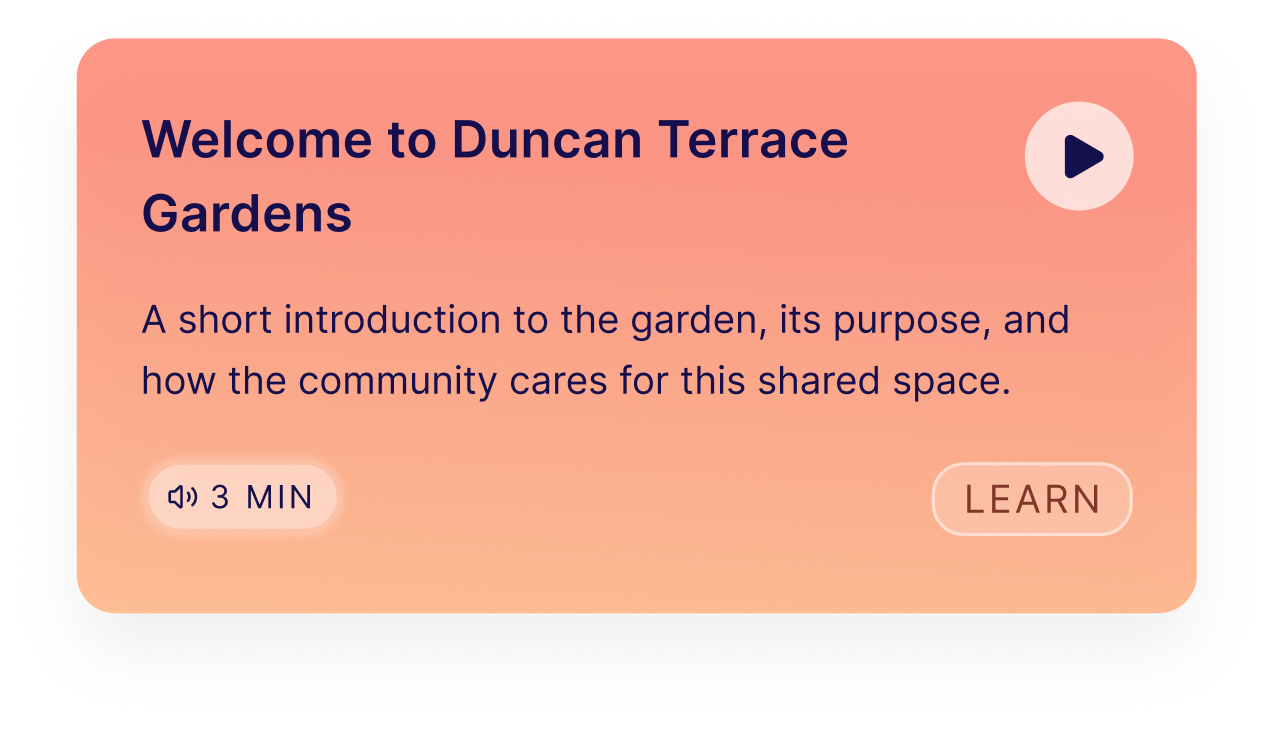
Audio Guide Card
- Duration, description, and category labels
- Color coded by category
Prototype
Prototyping key interactions in order to be used for usability testing.
Impact on the Opportunity Space
The final solution demonstrates how interactive digital technology can enhance everyday enjoyment of Duncan Terrace Gardens while supporting the park's mission around biodiversity, wildlife education, and community connection.
Next Steps
- 1 User testing, in context
- 2 Stakeholder collaboration / adoption
- 3 Explore technical constraints